
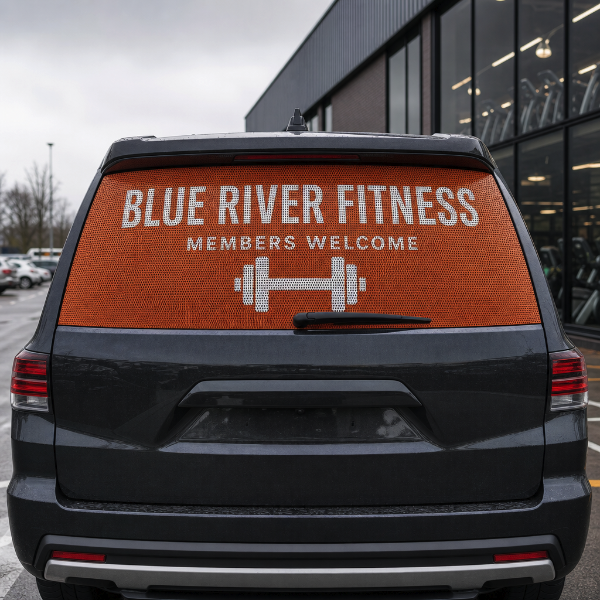
Full-colour graphics for the rear window of a van, SUV, bus or pickup cap — the panel that turns dead glass into the most-read advertising space you own, because it sits at eye level of the driver stopped behind you.
This product prints on 70/30 perforated one-way vision film: a vinyl sheet that is 70% material and 30% open holes. From outside it reads as a solid printed graphic. From inside the vehicle you look straight through it. That is what makes it legal and practical on a window you still need to see out of — a solid vinyl decal would black the glass out completely. A promotional-grade perforated film is also offered where the graphic only has to last a season.
Be clear about the trade-off before you order. Rearward visibility through perforated film is noticeably reduced at night and in heavy rain, and the film cannot be fitted to a window swept by a rear wiper — the blade tears the perforation apart. It also should not go over defroster-heated glass edges where the adhesive can be lifted by heat cycling.
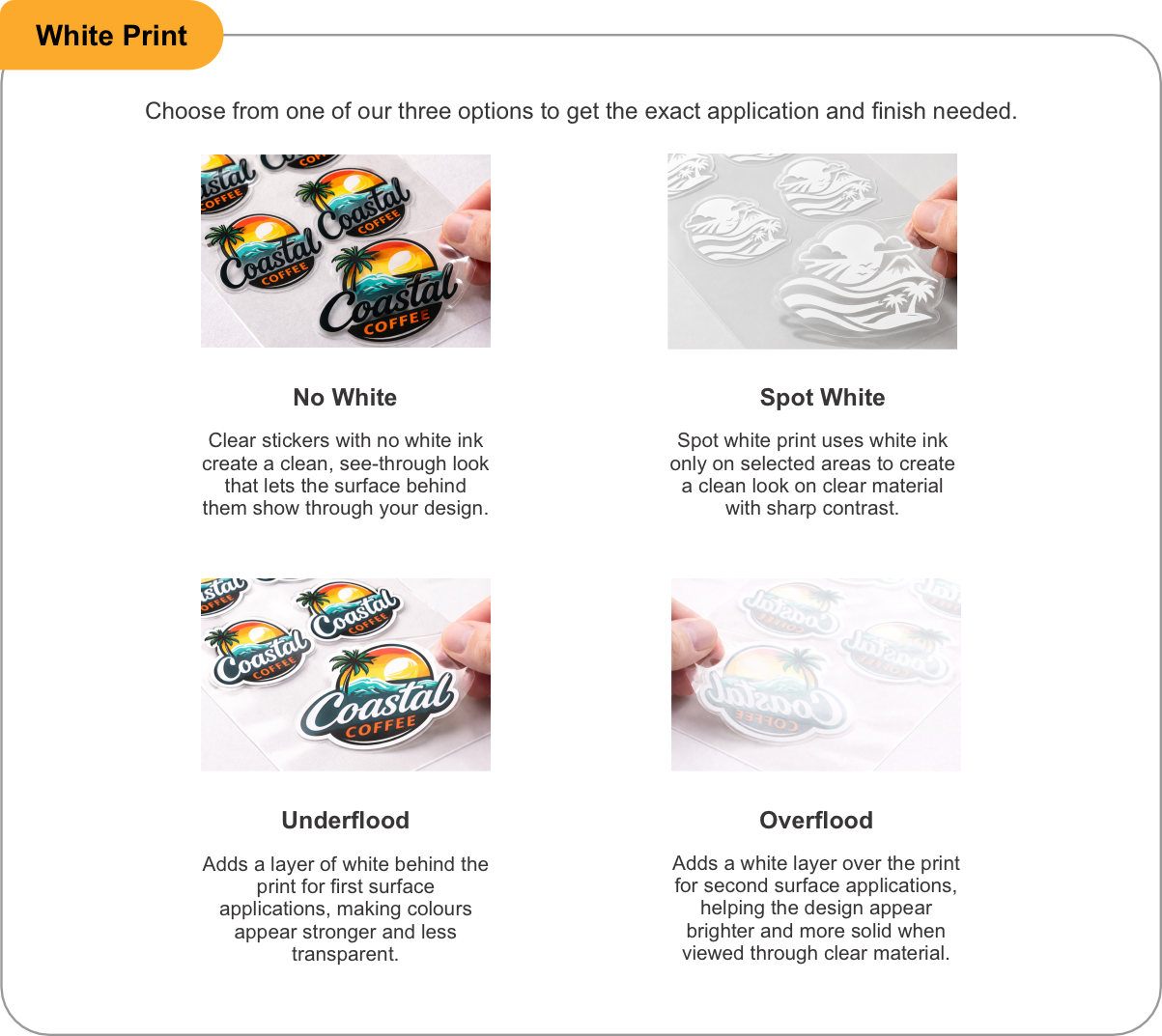
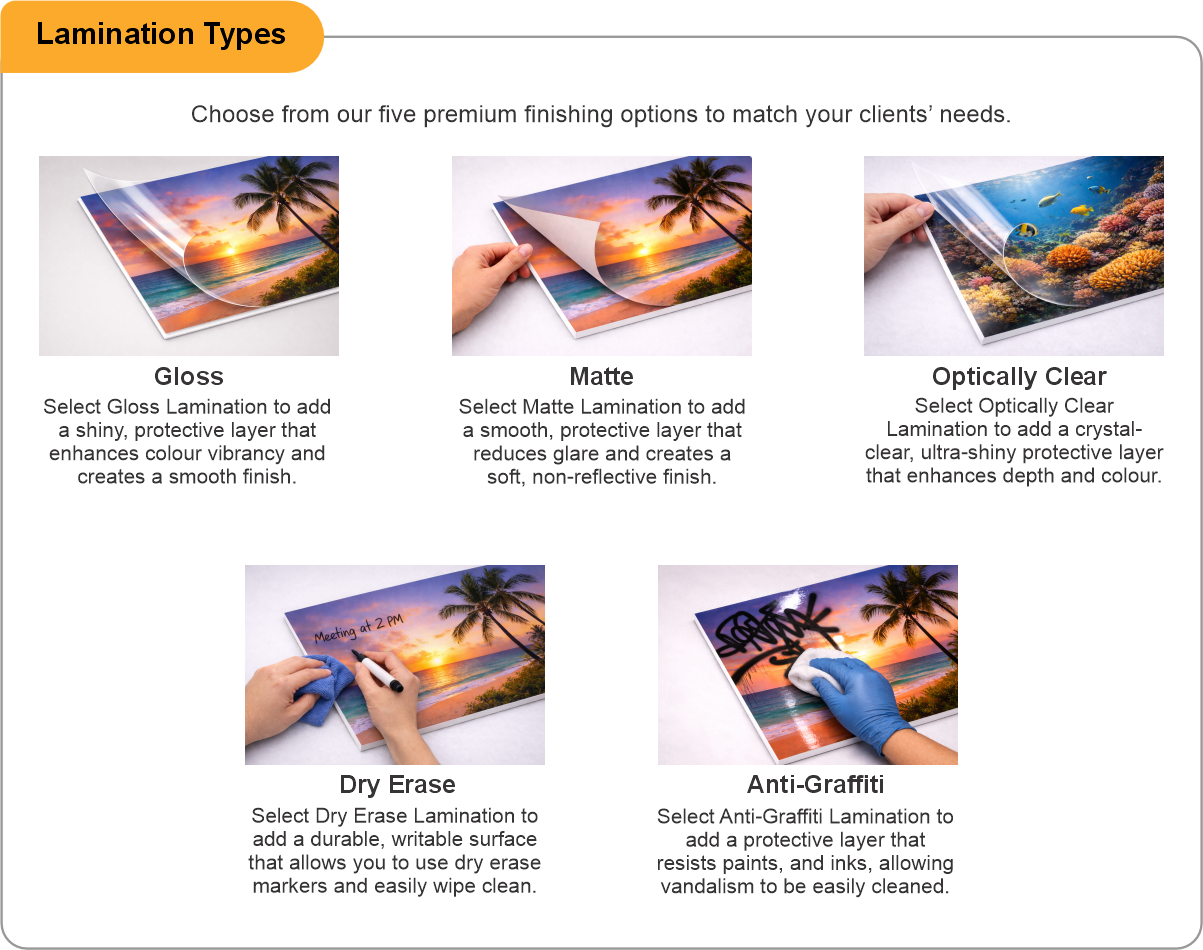
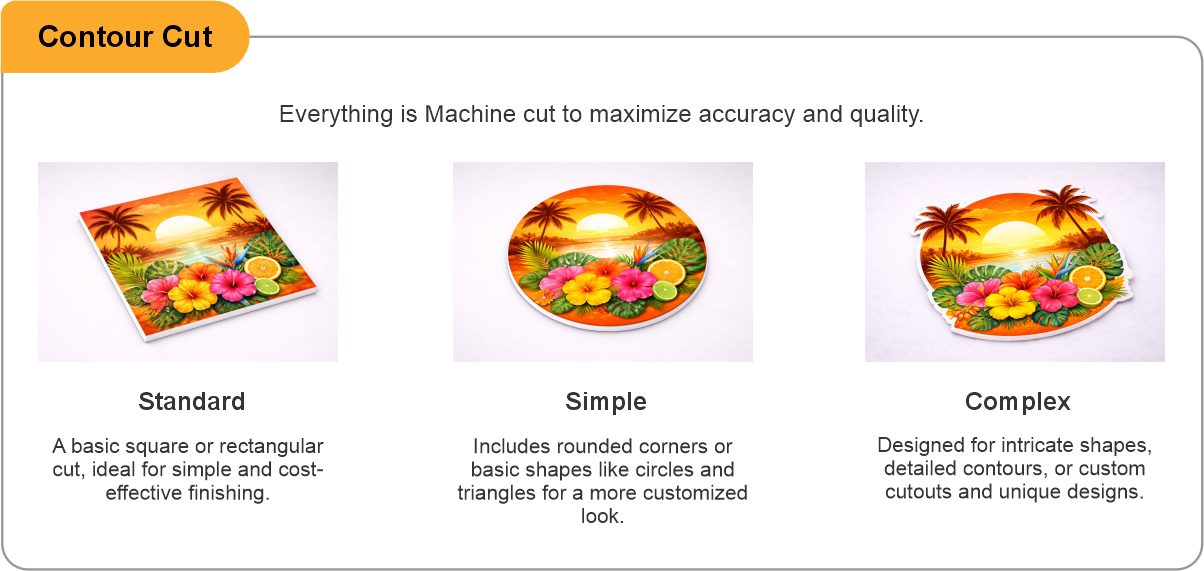
You receive the printed film cut to the dimensions you supply, ready to squeegee onto clean, dry glass. An optically clear laminate is strongly recommended on any vehicle that is washed or driven in winter: unlaminated perforation traps road grime in the holes and goes grey. Note that laminating a perforated film slightly reduces see-through, which is the price of it staying clean. Contour cut is available where the glass is a shaped or wrapped rear window rather than a rectangle.
Measure the visible glass, not the frame, and supply artwork at full size in vector or high-resolution raster. Keep the design bold — the 30% hole pattern eats fine detail, so thin type, hairlines and small logos will not survive the perforation. Solid shapes and large lettering are what this material does well.
- Use the product template or file setup guide when one is provided.
- Remove all hidden layers, guides, dielines or artwork that is not intended to print.
- Submit each project as a single, print-ready PDF. For multi-page files, all pages should be the same size and placed in the correct order.
- Make sure the file dimensions and orientation match the product being ordered.
- Avoid placing borders too close to the finished edge, as minor movement during trimming may make them appear uneven.
- For bleed, follow the margins provided in the product template. Keep important text, logos and design elements safely inside the trim line.
- Artwork should be high resolution, set to CMYK and supplied at 300 DPI whenever possible.
- Use C0, M0, Y0, K100 for small black text. For larger areas of deep black, use C30, M20, Y20, K100.
- Convert all fonts to outlines or ensure they are properly embedded in the PDF.
- Review your artwork carefully before uploading. Files are printed using the information provided, and colour may appear differently on screen than it does in print.
To start, select the product size, preview the design guidelines, download the guidelines for reference, and proceed with the customization options.
Perforated Rear Window Graphics (Business Graphics)
Customize & Estimate
Explore Complements
Related products
Enhance your experience with perfectly paired, high-quality related products.

 Issue?