
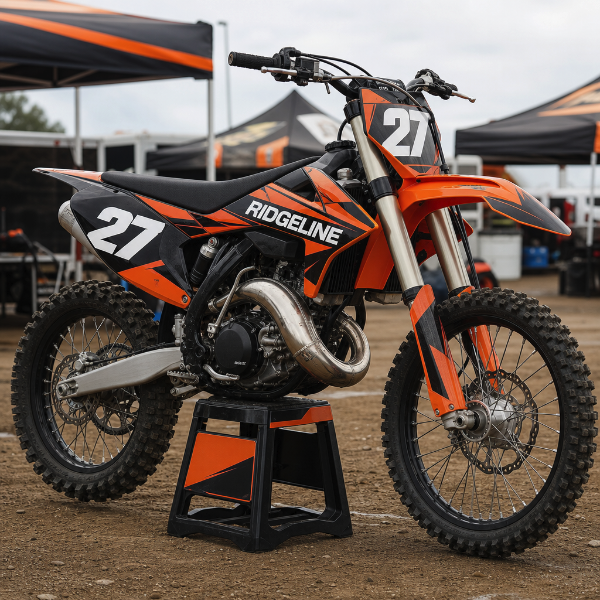
Printed decals for machines that work and play outdoors — dirt bikes and quads, side-by-sides, snowmobiles, jet skis, and the utility, enclosed and equipment trailers that haul them. Number plates, sponsor panels, shroud and fender graphics, and unit identification for a rental or contractor fleet.
Printed on 3M-40C and 3M-IJ175. Powersports bodywork is the hardest surface vinyl gets asked to sit on: compound-curved plastic shrouds, tank sides, fender radii and the sharp returns around a number plate. These films conform into that geometry and stay down, and they release cleanly when the machine is sold or the sponsor changes.
These are printed vinyl decals, not moulded thick-gel or backed race kits. On a machine that gets pressure-washed after every ride, roosted with gravel, or run in mud, decals are a consumable — lamination roughly doubles what you get out of them, and even laminated, a race bike will want a fresh set each season. On a trailer, a snowmobile tunnel or a side-by-side that lives on trails, the same material lasts for years.
You receive contour-cut decals on transfer tape, each trimmed to its own outline so a number plate or fender graphic sits on the panel with no visible carrier edge. Larger trailer panels ship as single pieces where the panel allows and as matched sections where it does not.
Work from the panel, not the catalogue. Take the bodywork off and trace it, or send a straight-on photo with a ruler in the frame and the panel dimensions, and we will build to that. Supply vector artwork where possible, keep sponsor logos away from the tightest curves and the edges that get boot contact, and remember that anything crossing a panel gap has to be cut at the gap.
Clean with isopropyl alcohol before fitting. Plastic release agents and silicone polish are the most common reason a powersports decal lifts within a week.
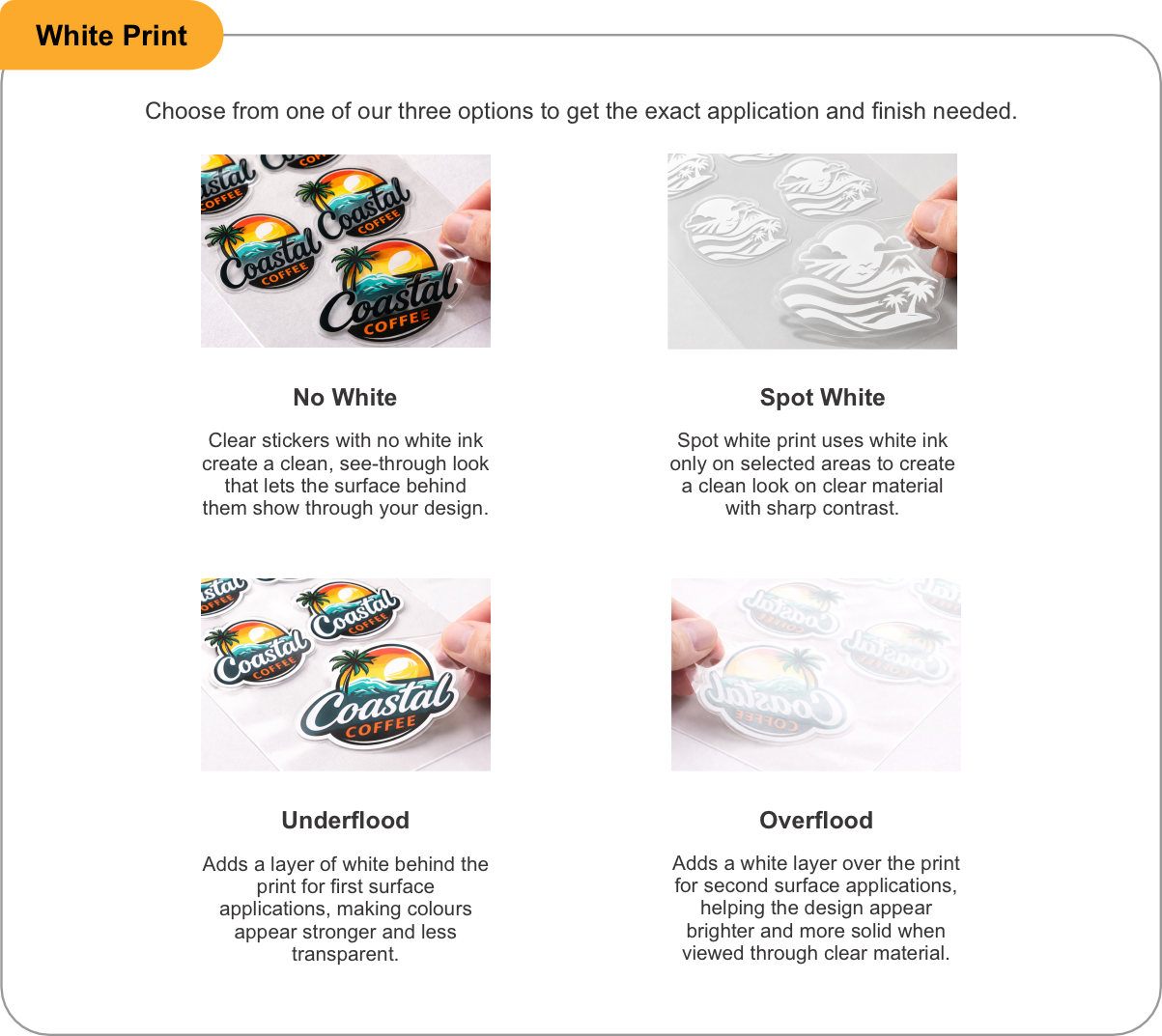
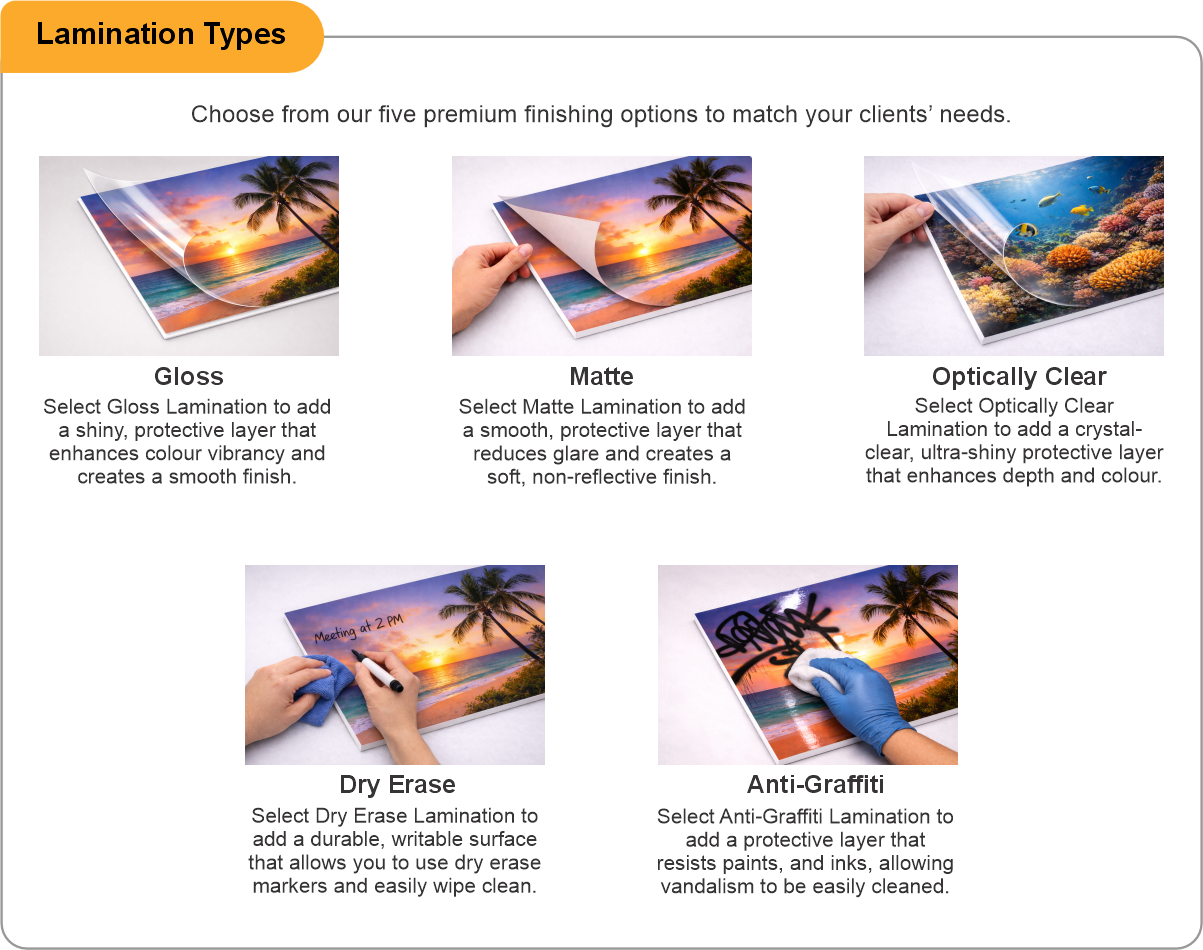
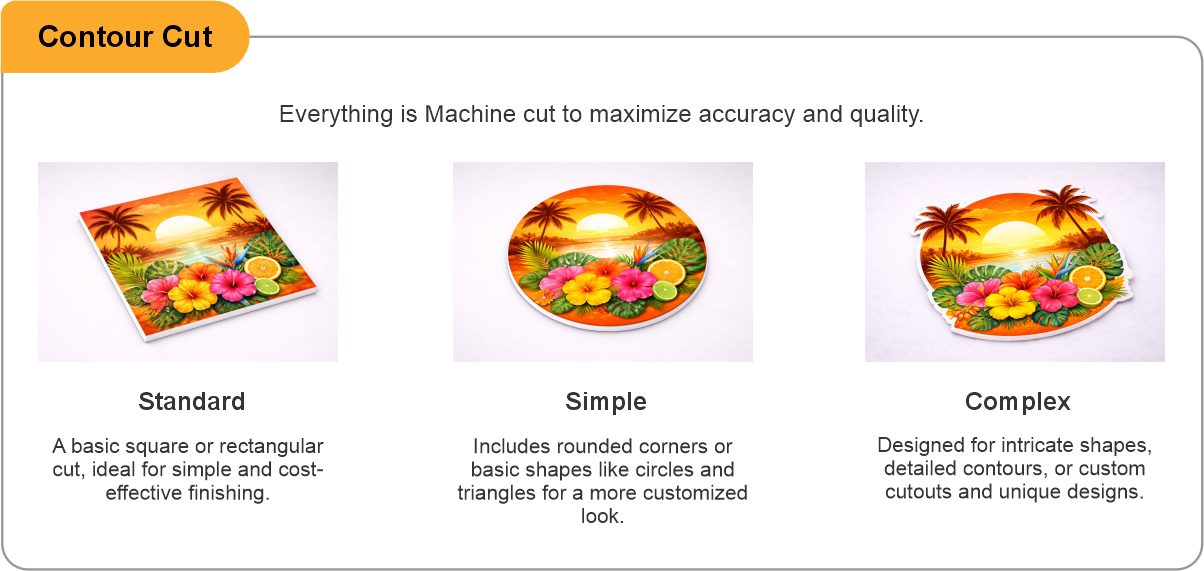
- Use the product template or file setup guide when one is provided.
- Remove all hidden layers, guides, dielines or artwork that is not intended to print.
- Submit each project as a single, print-ready PDF. For multi-page files, all pages should be the same size and placed in the correct order.
- Make sure the file dimensions and orientation match the product being ordered.
- Avoid placing borders too close to the finished edge, as minor movement during trimming may make them appear uneven.
- For bleed, follow the margins provided in the product template. Keep important text, logos and design elements safely inside the trim line.
- Artwork should be high resolution, set to CMYK and supplied at 300 DPI whenever possible.
- Use C0, M0, Y0, K100 for small black text. For larger areas of deep black, use C30, M20, Y20, K100.
- Convert all fonts to outlines or ensure they are properly embedded in the PDF.
- Review your artwork carefully before uploading. Files are printed using the information provided, and colour may appear differently on screen than it does in print.
To start, select the product size, preview the design guidelines, download the guidelines for reference, and proceed with the customization options.
Powersports & Trailer Graphics (Recreational Vehicle Graphics)
Customize & Estimate
Explore Complements
Related products
Enhance your experience with perfectly paired, high-quality related products.

 Issue?